

Best AI Tools for Small Business Customer Support: 6 Options Compared
By Arsalan Bilal — AI tools researcher and digital publisher at AiGetPro.
Last verified: October 2026
Quick answer: The best AI tools for small business customer support include Tidio for website chat, Freshdesk for ticket management, Intercom for conversational support, Zendesk for multichannel service, Help Scout for email-first teams, and Gorgias for ecommerce. The right choice depends on your support volume, budget, existing software, and required automation.
If you run a small business, customer questions rarely arrive one at a time. They come in while you’re processing orders, handling sales, updating your website, or trying to finish the work already on your desk.
The best AI tools for small business customer support can help answer repetitive questions, organize support requests, and give you more time to handle work that needs human judgment. But choosing software isn’t just about finding a chatbot that responds quickly.
Some businesses need a simple website assistant. Others need ticket management, a shared inbox, ecommerce integrations, and a reliable way to move difficult conversations to a human.
Let’s compare six options, examine their pricing models, and identify which tool makes sense for different types of small businesses.
What Are the Best AI Tools for Small Business Customer Support?
These six platforms are worth comparing because they serve different customer service needs.
| Tool | Best for | Main strength |
|---|---|---|
| Tidio | Small online stores | Website chat and AI conversations |
| Freshdesk | Growing support teams | Ticket management and automation |
| Intercom | SaaS businesses | Conversational support and AI agents |
| Zendesk | Multichannel support | Structured customer service workflows |
| Help Scout | Email-first teams | Shared inbox and customer communication |
| Gorgias | Ecommerce brands | Order-related customer support |
There isn’t one universal winner. A solo business owner handling a few emails a day may need something much simpler than an ecommerce company managing customer conversations across several channels.
Our recommendation: Start by identifying your five most common customer questions. Choose a tool that can answer or organize those questions reliably, then expand your automation once you’ve tested the results.
6 Best AI Customer Support Tools for Small Businesses
1. Tidio — Best for Website Chat and Small Online Stores
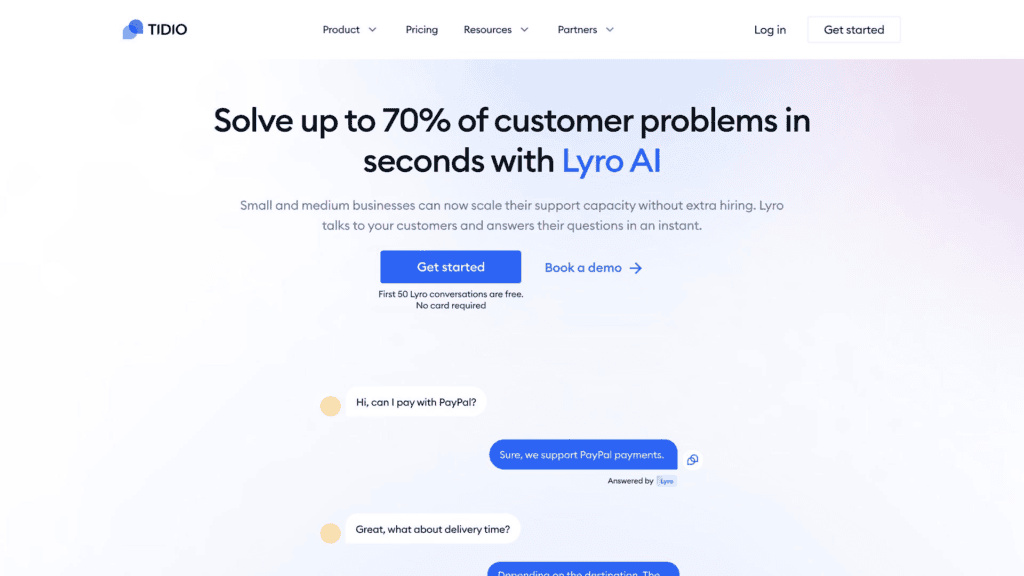
Illustrative Lyro AI interface. Product information and pricing: official Tidio website.
Tidio combines website chat, customer messaging, and automation features. Its Lyro AI agent is designed to answer supported customer questions using configured business information and knowledge sources.
For example, an online shop can prepare answers about shipping times, product details, and return policies. The AI can then respond to suitable questions, while more complicated cases can be transferred to a human agent.
What stands out:
- Website chat and customer conversation management.
- AI-assisted responses to common questions.
- Automation options for repetitive inquiries.
- A free plan for testing the platform within its limits.
What to check: Tidio’s current pricing page lists 50 one-time Lyro AI conversations on its free plan. That’s a limited introductory allowance, not 50 new AI conversations every month. Paid plans and additional AI allowances have separate terms. Check the official Tidio pricing page before purchasing.
Best for: Small online stores and service businesses that receive repeated website questions and want to introduce AI support without building a custom chatbot.
2. Freshdesk — Best for Ticket Management and Growing Teams
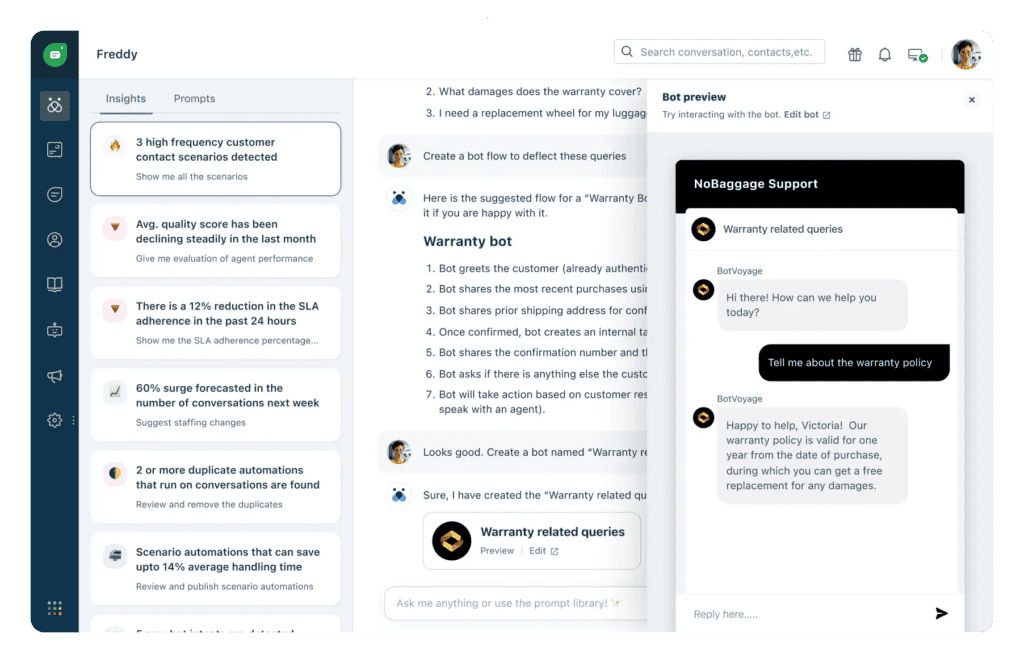
Freshworks product image. See official Freshdesk information.
Freshdesk makes sense when customer questions arrive through email and other channels and need to be tracked, assigned, and resolved systematically.
Its Freddy AI capabilities can assist with customer service workflows, depending on the product and subscription. A ticketing system helps your team see which customer requests remain open, who is handling them, and what needs attention next.
For a small agency, that can prevent two employees from replying to the same customer or overlooking a request that requires follow-up.
What stands out:
- Structured ticket management.
- Shared support workflows.
- Automation and self-service options.
- AI features available through applicable plans and add-ons.
Pricing detail: Freshworks lists Freddy AI Agent session packs at $49 for 100 sessions. A session covers interactions within the provider’s defined session window, so it isn’t necessarily equivalent to one individual message. Some paid plans may also qualify for a one-time complimentary session allowance; check the conditions on the official Freshdesk AI add-on documentation.
Best for: Businesses that have outgrown an ordinary inbox and need clearer ownership of customer requests.
3. Intercom — Best for SaaS and Conversational Support
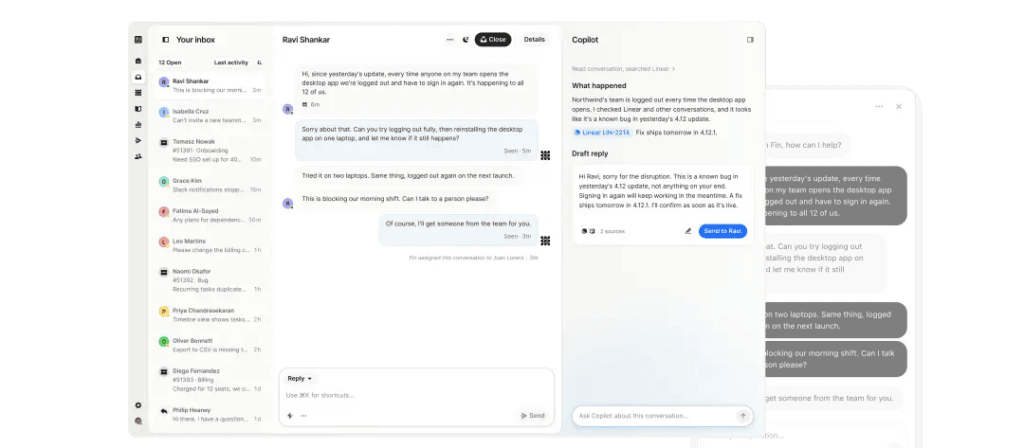
Intercom product image. See official Intercom information.
Intercom is designed for businesses that rely on customer messaging, including software companies that need to guide people through a digital product.
Its Fin AI agent can handle eligible customer questions using configured support information and supported workflows. Human agents can take over when a conversation requires additional attention.
A software startup, for example, might use it to answer routine questions about product features, account settings, onboarding, and common troubleshooting steps.
What stands out:
- Conversational support for digital products.
- AI-powered customer assistance.
- Shared inbox and help-center functionality.
- Automation options for growing teams.
Pricing detail: Intercom’s official documentation lists standard Fin AI outcomes at $0.99 each. Certain lead-qualification outcomes have a different charge, currently listed at $9.99, and seat or subscription costs may also apply. Review the definitions and current terms on the official Fin pricing documentation.
Best for: SaaS businesses and digital services where customer messaging is a central part of the user experience.
4. Zendesk — Best for Multichannel Customer Service
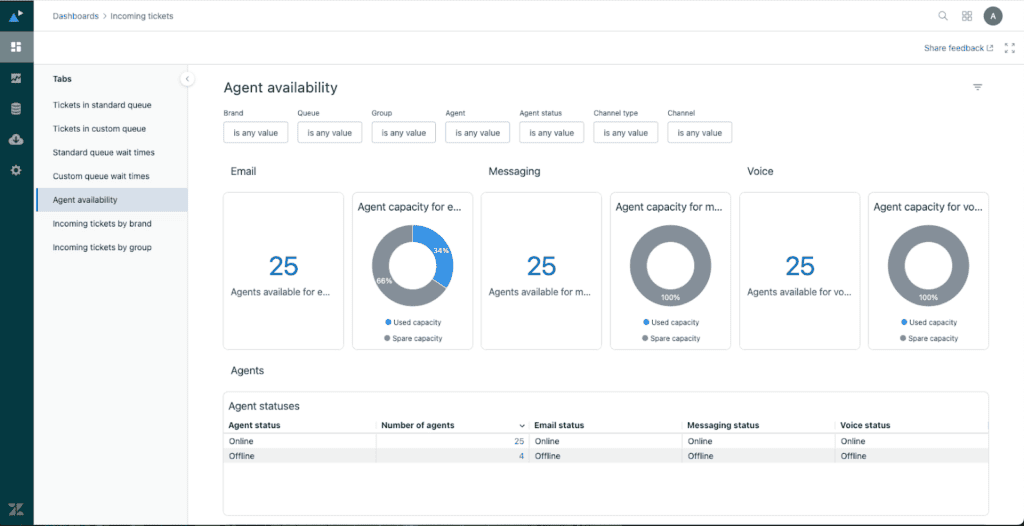
Zendesk support dashboard screenshot. See official Zendesk pricing.
Zendesk is worth evaluating when a business needs a broader customer service platform. It combines ticket management with workflows for routing, reporting, automation, and supported communication channels.
Imagine a retailer receiving customer emails alongside website messages and other support requests. A structured platform allows staff to manage conversations in a more organized way and maintain a record of previous interactions.
What stands out:
- Organized support tickets and routing.
- Automation and reporting.
- Options for managing multiple support channels.
- AI capabilities included in eligible plans.
Pricing detail: Zendesk’s official pricing page currently lists Support Team at $19 per agent per month and Suite Team at $55 per agent per month with annual billing. The plans offer different functionality; the Suite Team plan includes AI agents and additional channels. Monthly billing is priced differently.
Check the official Zendesk pricing page for current prices and feature limits.
Best for: Growing businesses that need structured support across multiple communication channels.
5. Help Scout — Best for Email-First Customer Support
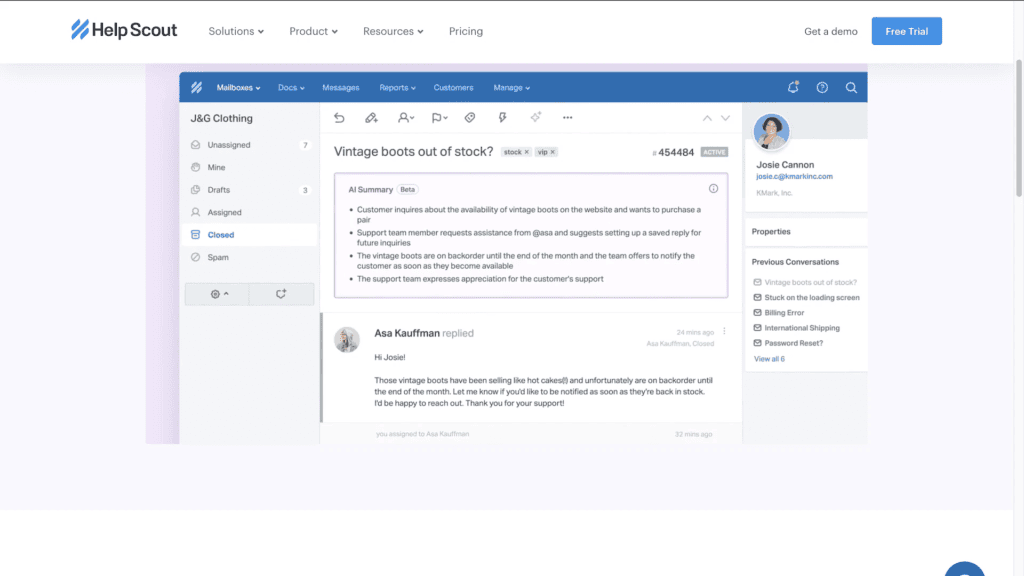
Illustrative Help Scout interface screenshot hosted by AppSumo. Product information: official Help Scout website.
Help Scout is a practical option for teams that want to keep customer support personal while improving how they manage conversations.
Its shared inbox helps team members coordinate replies, while its knowledge base and AI assistant can support customer self-service and agent productivity. Help Scout’s current AI agent is called Scout, evolving from its earlier AI Answers product.
Consider a small consultancy where several people respond to client emails. A shared inbox helps the team identify who is handling each request, review prior conversations, and avoid sending duplicate replies.
What stands out:
- Shared inbox for team collaboration.
- Customer help-center options.
- Tools for organizing customer conversations.
- AI assistance and customer-facing AI resolution features.
Pricing detail: Help Scout advertises its Standard plan at $25 per user per month on its current pricing page. Its AI agent is charged at $0.75 per resolution after the applicable trial or eligibility period. A resolution means the AI answers the customer’s question without needing help from a human. Additional plan costs apply.
See the official Help Scout pricing page and AI resolution billing documentation.
Best for: Consultants, agencies, and small teams that mainly provide support through email and want AI to assist rather than dominate the customer experience.
6. Gorgias — Best for Ecommerce Customer Support
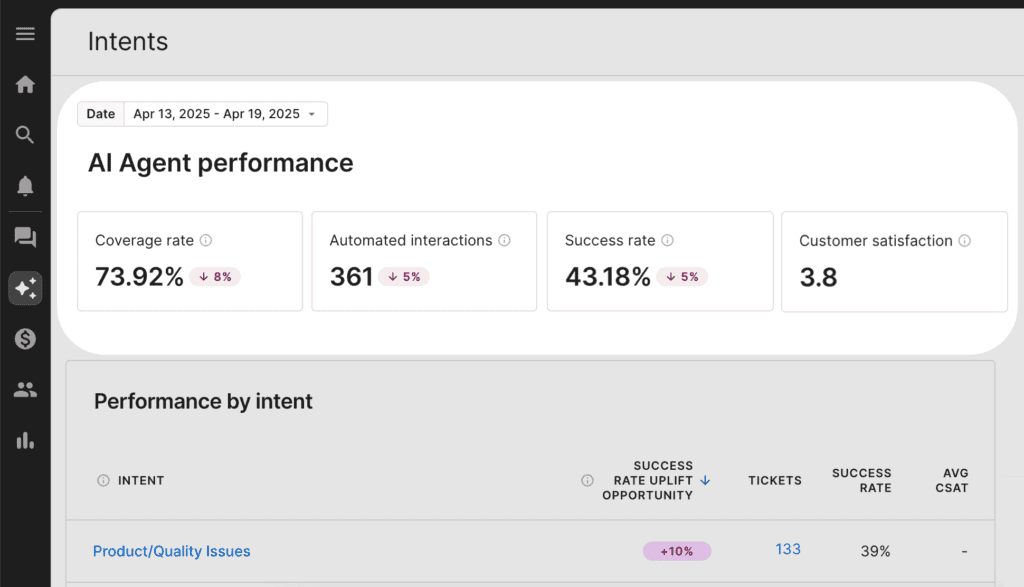
Gorgias help-center screenshot. See official Gorgias pricing.
Gorgias focuses on ecommerce customer service. It is particularly relevant to online stores that receive frequent questions about orders, delivery, returns, and products.
Its AI Agent can automate eligible interactions, including supported workflows involving order status and store policies. Actual capabilities depend on the platform integration, configuration, and the actions your business permits.
For a clothing store, this could mean answering common delivery questions or explaining the return process without requiring an employee to write every response from scratch.
What stands out:
- Ecommerce-oriented support workflows.
- Customer conversation management.
- Integrations for supported online stores.
- AI automation for eligible customer interactions.
Pricing detail: Gorgias’s official pricing information says most AI Agent plans charge $0.90 per AI-resolved interaction with annual billing, while Starter plans begin at $1 per resolved interaction. The help desk subscription and AI Agent are priced separately, and rates or overage fees depend on the chosen plan.
Review the Gorgias AI Agent pricing explanation before estimating your total cost.
Best for: Ecommerce businesses that want customer support closely connected to store operations.
AI Customer Support Tools Compared: Features and Costs
Here is a quick pricing comparison based on the providers’ published information available in October 2026.
| Tool | Pricing detail | Important consideration |
|---|---|---|
| Tidio | 50 one-time Lyro conversations on the free plan | One-time allowance, not a recurring monthly quota |
| Freshdesk | $49 per 100 Freddy AI Agent sessions | Separate AI usage charges may apply |
| Intercom | $0.99 per standard Fin outcome | Some outcome types and subscriptions cost more |
| Zendesk | $19 Support Team / $55 Suite Team per agent monthly, billed annually | AI capabilities differ by plan |
| Help Scout | Standard at $25 per user monthly; $0.75 per AI resolution | AI charges are separate from the base subscription |
| Gorgias | Most AI Agent plans at $0.90 per resolved interaction with annual billing | Help desk and AI Agent costs are separate |
Pricing and plans can change; check the official pricing page before purchasing.
These figures aren’t directly comparable because the providers use different billing models. One charges per agent, another per AI outcome, and another per session or resolved interaction.
For a fair comparison, estimate your number of support agents, monthly customer conversations, AI resolutions, and additional usage charges. A low starting price does not automatically mean the lowest total cost.
Which AI Customer Support Tool Is Best for Your Business?
Best for Businesses With a Limited Budget
Start by reviewing free plans, trials, and any support software you already use. Tidio is worth considering for website chat, but check the difference between human-managed conversations and the one-time Lyro AI allowance.
If your main workload comes through email, a shared inbox or basic ticketing system might be more useful than a customer-facing chatbot.
Best for Ecommerce Stores
Compare Tidio and Gorgias if you operate an online store. Tidio is worth considering for website chat and common customer questions, while Gorgias focuses on ecommerce support workflows.
Before purchasing, confirm the integration supports your store platform and the specific order-related actions you need. Access to order information is not the same as permission to issue refunds or change an order.
Best for SaaS Companies and Service Providers
Intercom is worth considering if customers need help using a software product. Freshdesk and Zendesk are also relevant if ticket management, assignment rules, and organized support workflows are higher priorities.
Choose according to your customers’ most frequent problems, not just the length of a feature list.
Best for Email and Multichannel Support
Help Scout is worth considering for email-first teams, while Freshdesk and Zendesk are useful options when you need a more structured ticketing process.
The goal is to manage conversations consistently. Adding more channels without a clear workflow may create extra work instead of reducing it.
How to Choose Affordable AI Customer Service Software
Calculate the Total Monthly Cost
Estimate the full monthly expense before choosing a plan. Include:
- Agent subscriptions or user licences.
- AI sessions, outcomes, or resolutions.
- Extra usage charges.
- Integrations and premium features.
- Any additional channels you need.
For example, a business with three agents should calculate the combined subscription price plus expected AI charges. Looking only at the advertised per-agent price can underestimate the real cost.
Check Accuracy, Privacy, and Human Handoff
An AI assistant should provide answers based on reliable business information. Check whether the platform allows you to manage its knowledge sources, configure escalation rules, control data access, and transfer conversations to human agents.
Avoid uploading unnecessary sensitive information. Review the provider’s privacy, data-retention, and AI-training policies before connecting customer records.
Test Before Committing
Test a prospective tool with your ten most common customer questions and a few unusual cases that should be escalated.
Record incorrect answers, unsuccessful resolutions, and handoff problems. Also check whether the human agent receives enough conversation history to continue without asking customers to repeat everything.
If your main goal is a website chat assistant rather than a full ticketing system, our guide to the best AI chatbots for customer support compares chat-first options in more detail. It is especially useful when you want to start with a simple assistant before moving to a complete help desk.
How to Set Up AI Customer Support in a Small Business
You don’t need to automate every conversation on day one. Begin with a small workflow that is easy to test and maintain.
- Identify repetitive questions. Review previous inquiries and list common questions about shipping, business hours, returns, products, and account access.
- Prepare accurate information. Update FAQs, policies, product documentation, and troubleshooting instructions.
- Choose a suitable platform. Match your workflow, budget, and integration needs to the tool.
- Configure automation. Begin with straightforward, low-risk questions.
- Set escalation rules. Direct complicated, sensitive, or unresolved cases to a human.
- Monitor performance. Review incorrect answers, customer feedback, resolution rates, and costs.
Start with three common questions, such as business hours, shipping times, and return policies. Expand only after the AI is answering reliably.
Common Mistakes to Avoid When Using AI for Customer Service
Automating everything immediately: Some inquiries require human judgment. Keep an appropriate escalation path available.
Using outdated information: If your refund policy changes but the knowledge base doesn’t, the AI may continue giving the old answer.
Ignoring usage charges: Track AI resolutions, additional sessions, agent subscriptions, and integration fees.
Making human support difficult to reach: Customers should have a clear way to ask for a person when the AI can’t help.
AI support also needs ongoing ownership. Someone should review failed conversations, update policy answers, check integrations, and make sure customers are not stuck in an automated loop. For founders who cannot hire a full-time support specialist, tech virtual assistants can handle several of these operational tasks while you retain control over sensitive decisions.
Measuring response speed alone: Fast responses are useful only when they answer the question accurately. Track customer satisfaction and successful resolution alongside response time.
Once your support assistant is working, connect it to the rest of your business workflow. For example, a new ticket can create a task, notify the right team member, or update a CRM record. Our Zapier vs Make vs n8n comparison explains which automation platform fits different budgets, technical skills, and integration needs.
Frequently Asked Questions
What information should an AI customer support chatbot learn first?
Start with approved FAQs, business hours, shipping details, refund policies, product documentation, and common troubleshooting instructions. Keep this information accurate and organized so the chatbot can provide consistent answers.
Can AI customer service software support multiple languages?
Some platforms support multilingual conversations, but language availability and accuracy vary. Test the languages your customers use before relying on AI for important policy or technical explanations.
Do small businesses need a separate chatbot and help desk?
Not necessarily. An integrated platform may combine website chat, ticket management, and AI assistance. A separate chatbot can make sense if your existing help desk already meets your other needs.
What happens when an AI assistant cannot answer a question?
A properly configured assistant should acknowledge when it cannot help and provide a suitable route to a human agent or another support channel. The handoff should preserve relevant conversation details so customers don’t have to repeat themselves.
Can AI help reduce customer support response times?
AI can answer routine questions quickly and help human agents prepare replies. Actual improvements depend on answer accuracy, integration reliability, and how efficiently unresolved issues reach the right person.
Is AI customer support suitable for a business with one employee?
Yes. A solo owner can use AI to handle routine questions while focusing on other responsibilities. Choose a tool that is simple to maintain and saves more time than it takes to configure and monitor.
What customer information should businesses avoid sharing with AI tools?
Avoid sharing unnecessary sensitive personal information, passwords, payment credentials, or confidential records. Review the provider’s privacy policies, access controls, data-retention practices, and AI-training terms before connecting customer information.
How often should businesses review their AI chatbot’s answers?
Review the chatbot whenever prices, products, policies, or procedures change. Also examine incorrect answers, unresolved questions, and customer complaints regularly to identify where improvements are needed.
Final Recommendation: Choose AI Support That Solves Your Biggest Problem
The best AI tools for small business customer support aren’t necessarily the most expensive or feature-rich platforms. They’re the ones that solve your biggest customer service problems at a cost your business can justify.
- Tidio: Website chat and repetitive customer inquiries.
- Freshdesk: Ticket management and growing support teams.
- Intercom: Conversational support for SaaS and digital products.
- Zendesk: Structured, multichannel customer service.
- Help Scout: Email-focused support and collaboration.
- Gorgias: Ecommerce customer support and order-related workflows.
Before paying for a subscription, test one tool against real customer questions, check the human handoff, and estimate the total monthly cost. If a simpler solution meets your needs, there’s no reason to pay for a more complicated platform.
For readers interested in applying AI skills beyond software selection, explore AiGetPro’s AI Career Guides for resources on AI-related careers and practical skills.

Arsalan is an independent AI tools researcher and
digital publisher. He tests free and paid AI tools,
tracks the remote AI job market, and writes practical
guides for professionals who want to work smarter
with AI.
Now focused on
AiGetPro — a resource for honest AI tool comparisons,
remote AI job guides, and free GitHub tool discoveries.